
Guided Windows recovery with deep and normal scan modes
Experience guided recovery for deleted or formatted files using a step-by-step wizard that scans local and removable drives, previews recoverable items, and restores common formats. Free Data Recovery, from ThunderSoft, targets home users who need a straightforward recovery workflow. Key functions include Normal and Deep Scan modes, partition recovery, and file preview; the app's small installer and low system requirements suit casual desktop environments and attached mobile devices.
Top Recommended Alternative

What the app does and how it approaches data loss
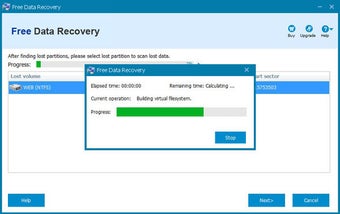
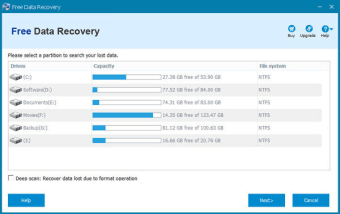
Free Data Recovery performs targeted scans to recover deleted files from internal drives, external USB media, SD cards, and mobile devices connected as storage. It offers two scan depths: Normal Scan for recently deleted files and Deep Scan to locate file signatures across sectors marked free. The tool also includes partition recovery to detect and restore lost or formatted partitions.
How it affects system resources during operation
ThunderSoft designed the software with a minimal installation footprint and low runtime demands, which the developer highlights as suitable for casual desktop use. The app runs scans without a large resource profile, making it practical to run on typical Windows desktops while continuing other tasks. Its lightweight nature lets users avoid dedicating a production machine solely to recovery during an active scan.
Safety measures and file verification before restore
The recovery workflow includes a file preview function so users can verify content before attempting restoration, reducing unnecessary writes. The interface carries out read-only scanning of selected volumes and marks recoverable items for selective restore. For operations on partitions flagged as RAW or formatted, the app detects the segment before scanning rather than writing directly to the original location.
Who can use it and how much technical knowledge is required
The wizard-driven interface walks non-technical users through scan selection, device choice, and preview, so novices can perform basic recovery without prior experience. Advanced users get Deep Scan and partition tools for tougher cases, but the workflow keeps options accessible by guiding choices step-by-step. The app therefore suits home users who prefer a guided rescue process over manual forensic tools.
Practical recovery for home users, with a single caveat
Free Data Recovery suits home and casual desktop users who need a guided, low-impact way to retrieve photos, videos, and documents from various storage devices. It pairs Normal and Deep Scan modes with partition recovery and previewing, which supports confident restores. The main limitation is the freemium model that restricts full restoration capabilities beyond the preview stage for larger data volumes.